

See Your Block Textures in 3D as You Paint
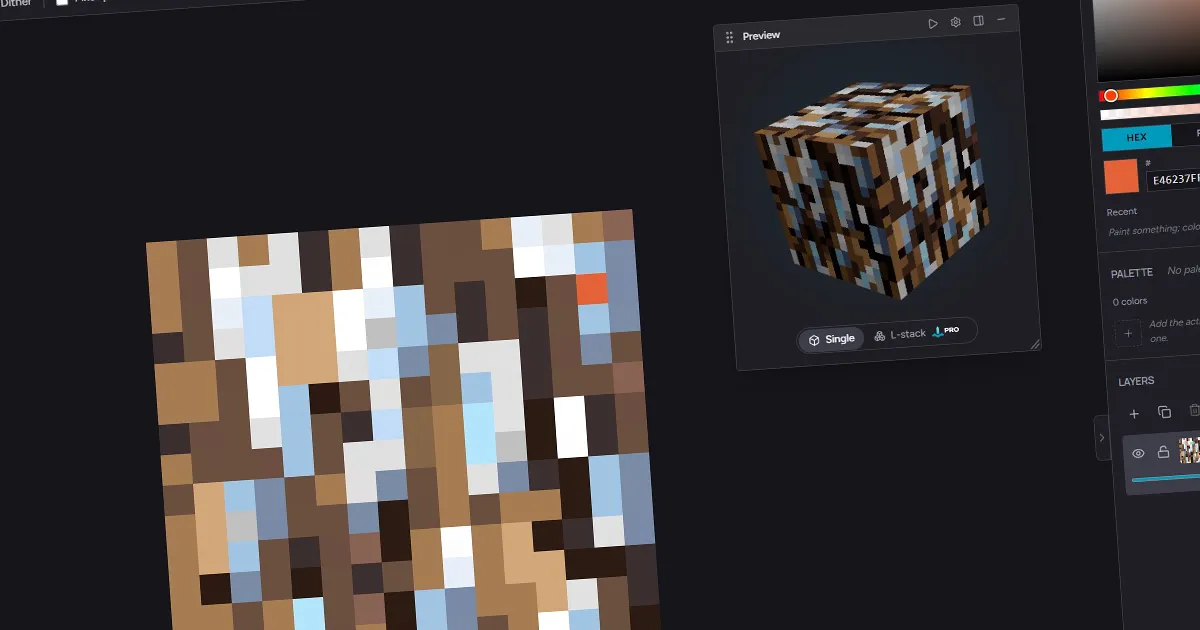
Hexcalibur mirrors every brushstroke onto a live 3D block, so you catch seams and tiling problems before you export.

A flat 16x16 square tells you almost nothing about how a block will actually look in a game. The texture you judge on a 2D canvas gets wrapped onto every face of a cube, lit from an angle, and tiled across walls and floors. Hexcalibur closes that gap with a live 3D preview: as you paint, your texture appears on a real, rotating 3D block right next to the canvas, so what you see while drawing is what you get in the world.
Here is why painting against a live block changes the work, and what the preview shows.
Why a 2D canvas is not enough
The classic way to make block art is to draw a flat square, export it, load it into the game, walk up to a block, notice the seam, walk back, fix it, and repeat. Every loop costs minutes and breaks your concentration.
The problem is that the things that make or break a block texture only show up in 3D:
- Seams appear where edges meet across the cube and across tiled blocks.
- Lighting changes how your values read once a face is angled away from the light.
- Busy spots that look like detail up close turn into a repeating eyesore when the block tiles.
You can develop an eye for predicting these from the flat canvas, but it is slow, and it is guesswork. A live preview removes the guess.
What the preview shows you
Hexcalibur renders your texture onto a 3D block beside the canvas and updates it on every brushstroke. There is no render button and no export round-trip - paint a pixel, and the block changes.
- Single cube - a rotating cube wearing your texture, available on every plan. It is the fastest read on whether a block holds together: seams, edge contrast, and overall value all show at a glance as it turns.
- L-stack - a six-cube stair arrangement on Pro. Stacking the same texture across several blocks is where tiling problems hide, so the L-stack is the honest test of whether your surface stays calm when it repeats.
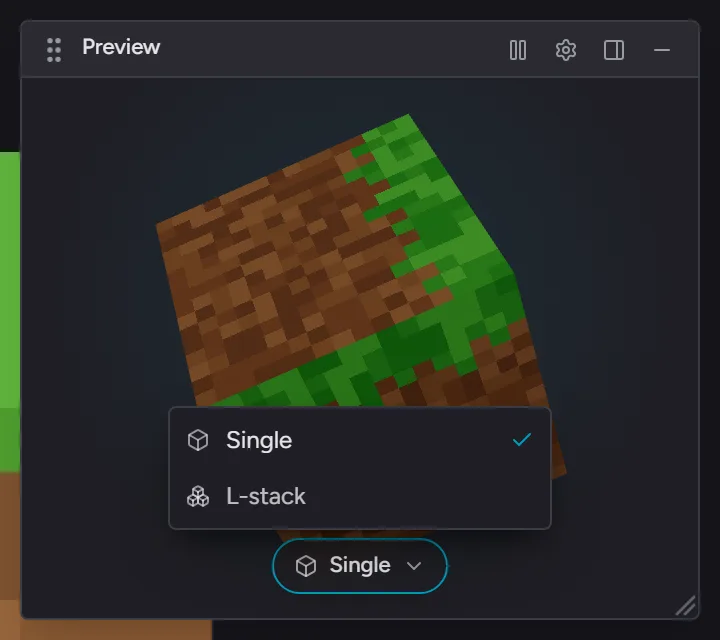
Both follow your animation timeline, so an animated texture plays back in 3D instead of sitting still.
Catching problems while they are cheap to fix
The value of seeing the block live is that you fix things in the moment, inside the same flow as drawing them.
A bright pixel near an edge announces itself the instant the cube rotates past it. A crack that runs off one side and does not pick up on the other shows as a broken line the moment the texture wraps. A border that felt like nice definition on the flat canvas reveals itself as a harsh grid once the L-stack repeats it. You nudge a few pixels and watch the block settle, without ever leaving the editor.
The shortest path to a better texture is a faster feedback loop. When the 3D block reacts to every stroke, you stop guessing and start adjusting.
Built to keep up with painting
A preview is only useful if it never makes you wait. The 3D view is designed to track the canvas in real time as you paint, so the block stays locked to your latest pixels rather than lagging a beat behind. The result is that the preview feels less like a separate tool and more like a mirror of the canvas you are already working on.
Frequently asked questions
What does the live 3D preview do?
It renders your block texture onto a 3D block next to the canvas and updates on every brushstroke, so you see how the texture looks wrapped, lit, and tiled while you draw - not after you export.
Is the 3D preview available on the free plan?
Yes. The single rotating cube is on every plan. The L-stack, a six-cube stair view for checking how a texture tiles across stacked blocks, is a Pro feature.
Does the preview work with animated textures?
Yes. The 3D block plays back your animation timeline, so animated textures move in the preview the way they will in game.
Do I need to press a render button to update the preview?
No. The preview tracks the canvas live and updates as you paint. There is no render step and no export round-trip to see your changes in 3D.
See your textures come to life as you draw them. Open Hexcalibur.